Why WhatsApp Business Accounts Get Banned
The real reasons numbers get banned or restricted in 2026 — quality rating, opt-in, message limits and templates — plus how to recover, appeal, and never get flagged again.
Last updated: June 2026 · Reflects Meta's 2025–2026 enforcement & messaging-limit changes
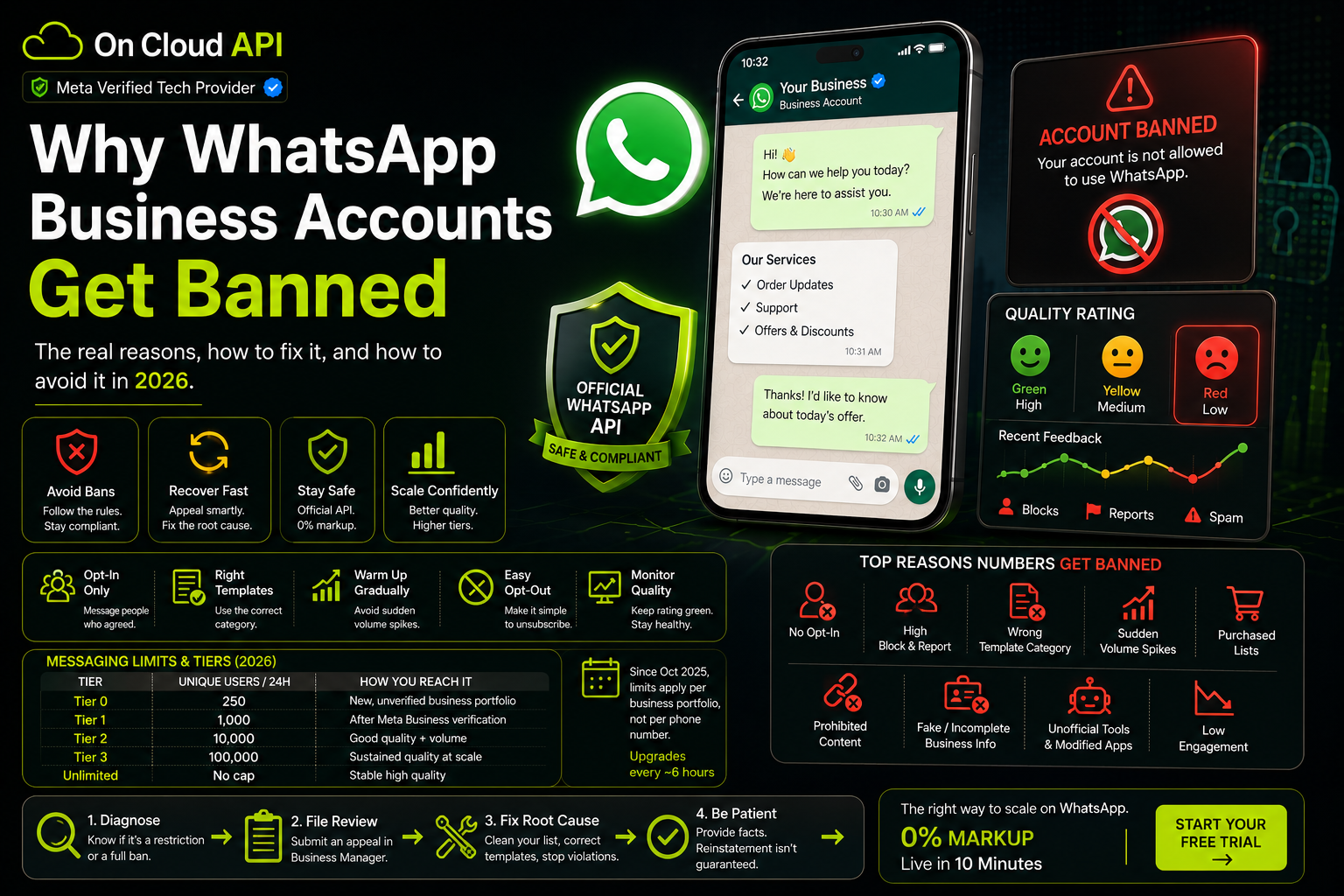
Quick answer: WhatsApp bans business numbers when recipients react badly to your messages or when you break Meta's policies. The biggest triggers are messaging people who never opted in, a high block-and-report rate, putting marketing content under the wrong template category, sudden volume spikes, purchased or scraped lists, prohibited content, and unofficial bulk-sender tools or modified WhatsApp apps. The fix is the same as the prevention: clean opt-ins, disciplined templates, and the official WhatsApp Business API through a verified provider.
A ban almost never arrives out of nowhere. Meta's enforcement is built around one idea: people should only receive WhatsApp messages they actually want. When too many recipients block you, tap "report", or ignore templates they never asked for, your number's standing drops — and through 2025 and 2026 Meta tightened this so that even legitimate businesses, not just spammers, are getting flagged. Understanding the triggers is the whole game, because the habit that gets a number banned is exactly the one you must fix before any appeal will stick.
Ban vs restriction — know what you're dealing with
Not every red banner is a permanent ban. The recovery path depends on which one you have.
| Type | What it looks like | Severity |
|---|---|---|
| Warning | A caution that your activity may break the rules | Low — act now to prevent escalation |
| Messaging restriction | Sending throttled; can't start new chats; yellow/red quality rating | Medium — cooldown, fixable |
| Temporary block | 24-hour countdown timer on the screen | Medium — often from unofficial apps / too-fast sending |
| Permanent ban | "Your account is not allowed to use WhatsApp" | High — needs a formal appeal |
Top reasons WhatsApp Business numbers get banned
Almost every ban traces back to one of these.
- Messaging people who never opted in. The #1 cause. Sending templates to contacts who never agreed to hear from you looks like spam — and is.
- High block & report rate. When recipients block or report you, your quality rating falls fast and enforcement follows.
- Wrong template category. Putting promotional content inside a utility or authentication template violates policy and risks your standing.
- Sudden volume spikes. A brand-new number that suddenly blasts thousands of messages looks like an attack to Meta's systems.
- Purchased or scraped contact lists. Recycled and bought lists have no consent and high complaint rates — a fast track to a ban.
- Prohibited or misleading content. Breaching Meta's Commerce and Messaging policies (restricted goods, scams, misleading offers).
- Incomplete or fake business verification. Wrong business name, a display name unrelated to your legal entity, or trademark/logo misuse.
- Unofficial tools & modified apps. Grey-market "bulk senders", Chrome extensions and modified WhatsApp clients are detected quickly and banned.
- Low engagement. Since 2025, marketing delivery is engagement-based — ignored messages quietly throttle your reach before any formal violation.
Your quality rating, explained
Meta scores every number based on how recent recipients reacted. This score decides your fate.
Check it any time on the Account Quality screen in WhatsApp Business Manager. A red rating doesn't always trigger an instant ban anymore, but it caps your reach and is the loudest signal that a restriction is coming.
Messaging limits & tiers (2026 rules)
These changed in October 2025 — operating on old knowledge is how good accounts get banned.
| Tier | Unique users / 24h (business-initiated) | How you reach it |
|---|---|---|
| Tier 0 | 250 | New, unverified business portfolio |
| Tier 1 | 1,000 | After Meta Business verification |
| Tier 2 | 10,000 | Good quality + volume |
| Tier 3 | 100,000 | Sustained quality at scale |
| Unlimited | No cap | Stable high quality |
Three things most people miss in 2026: new portfolios start at Tier 0 (250), not 1,000; since October 2025 limits apply per business portfolio, not per phone number (new numbers inherit the strongest number's tier); and Meta re-evaluates upgrades roughly every 6 hours. There's also frequency capping — a user can receive only about 2 marketing messages per day across all brands combined, and hitting that returns error code 131049. (Note: marketing templates to US +1 numbers have been paused since April 2025.)
Warning signs before a ban
WhatsApp almost always fires a warning shot. Don't ignore it.
⚠ "Your account may be restricted soon" — Meta thinks you're using tools or sending patterns that break the rules. Stop bulk/unofficial sending immediately.
⚠ "Your account is restricted right now" — You're in a cooldown. You can reply to existing chats but can't start new ones. Fix targeting and content before it lifts.
⚠ Quality rating turns yellow or red — The clearest early warning. Pause campaigns and clean your audience before the next send.
How to avoid a WhatsApp ban
Do these and your number stays healthy for years. Skip them and you're rolling the dice.
✅ Do
- Only message users who opted in (website checkbox, QR, Click-to-WhatsApp)
- Use the correct template category — utility for transactional, marketing for promos
- Warm up new numbers; grow volume gradually
- Make opt-out easy and honour it instantly
- Send value, not noise — relevant, well-timed, personalised
- Monitor your quality rating and pause at the first yellow
- Use the official WhatsApp Business API through a verified provider
❌ Don't
- Blast the same message to a huge cold list at once
- Buy, scrape or recycle contact lists
- Use modified WhatsApp apps or grey-market bulk senders
- Disguise marketing as utility to dodge fees
- Share suspicious or flagged links
- Ignore repeated spam reports or low open rates
- Send around the clock with no breaks
The durable safety net is a properly managed setup: clean opt-ins, disciplined templates and live quality monitoring. That's exactly what running on the official WhatsApp Cloud API with built-in opt-out and template controls gives you — the free app and unofficial senders can't.
Already banned? How to recover & appeal
Move in two tracks at once: recover the account and fix the cause.
- Diagnose it. Is it a messaging restriction (yellow/red rating, throttled) or a full account ban? Your next steps differ.
- File a review. In WhatsApp Business Manager, open the Account Quality screen and submit a review request with a clear, factual explanation of what happened and what you've corrected.
- Fix the root cause first. Remove non-opted-in contacts, correct template categories, stop any unofficial tools. If you reopen without fixing the cause, you'll be restricted again within days.
- Be patient and evidenced. Reinstatement is never guaranteed, but a well-evidenced appeal succeeds more often than people expect.
- Migrate to a compliant setup. Returning to the free app or grey tools to scale is the fastest way back to a ban. Move to the official WhatsApp Business API.
The safest way to never get banned: the official API
Most bans happen on the free app or grey-market senders. The official API is built to keep you compliant.
Because every outbound template on the API is pre-approved by Meta, and the platform gives you opt-out automation, engagement analytics and multi-agent controls, you can scale without the random spam bans that hit the free app. On Cloud API is a Meta Verified Tech Provider that connects you directly to the WhatsApp Cloud API with 0% markup, template-category guidance, opt-in capture and live quality-rating visibility — the compliance infrastructure that keeps your number safe.
❌ Free app / grey senders
- No template pre-approval — easy to break policy
- No opt-out automation or engagement monitoring
- Multiple logins & modified apps trip spam flags
- High ban risk at any real volume
✅ On Cloud API (official)
- Meta-approved templates with correct categories
- Built-in opt-in capture & instant opt-out
- Live quality-rating & delivery analytics
- Scale to higher tiers safely, 0% markup
Frequently asked questions
Why does WhatsApp Business get banned?
Does bulk messaging get you banned on WhatsApp?
What does a red quality rating mean?
How many messages can a new API number send?
How do I recover a banned WhatsApp Business account?
What is error code 131049?
Message safely on the official WhatsApp API
Pre-approved templates, opt-in management and live quality monitoring — scale without the bans. 0% markup, live in 10 minutes.
Start Your Free Trial →